
Live captions can disappear or drift after a bitrate switch, ad break or device handoff even when the video keeps playing. Here is how OTT operators can verify the caption experience rather than just the text file.
The hidden failure
A live streaming dashboard reports healthy manifests and successful video segments. The player stays online. But the captions stop appearing when a viewer changes quality, resumes after an ad, or switches to another device.
This is a plausible failure mode, not a claim about any named service. The underlying issue is that captions follow their own timing, signaling and rendering path. Video availability does not establish caption availability.
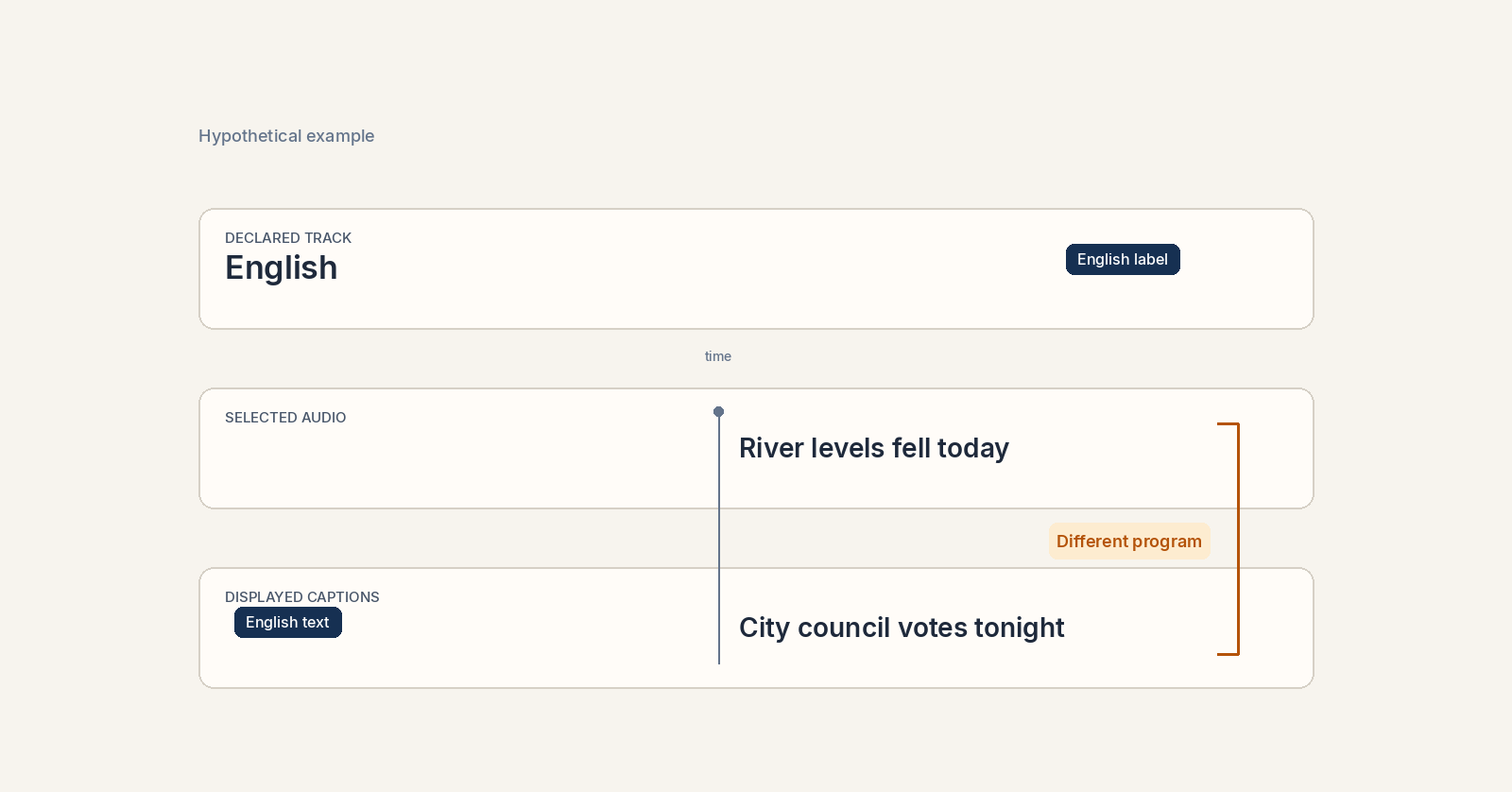
The HTTP Live Streaming specification, RFC 8216 (August 2017) describes alternative renditions and playlist signaling, including subtitle renditions and closed-caption metadata. Those declarations tell a player where tracks should be available. They do not prove that a viewer sees the right words at the right time.
Three layers to inspect
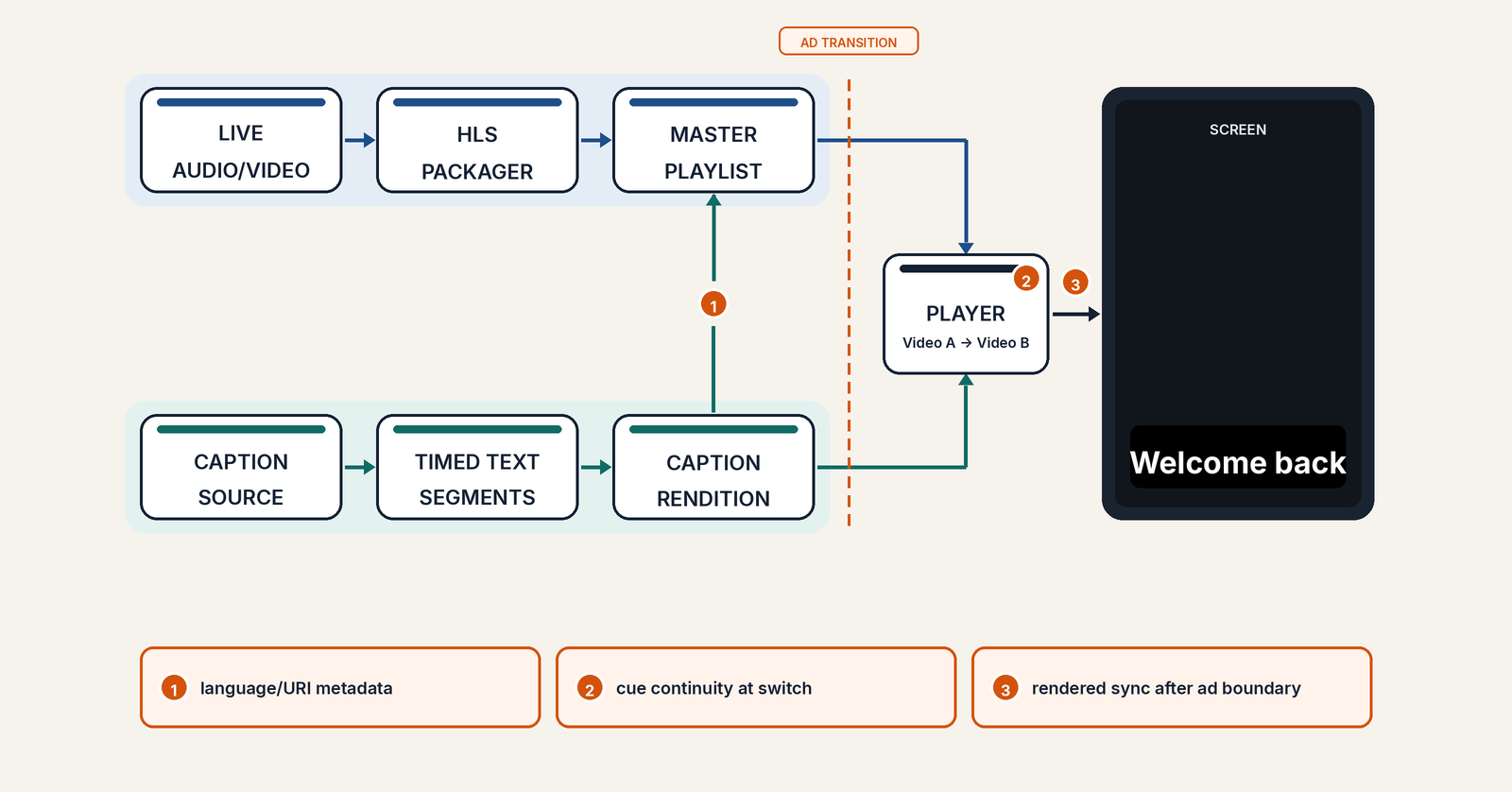
Playlist and track signaling. An HLS master playlist can advertise alternate subtitle groups through EXT-X-MEDIA. The declared language, default selection, group membership and referenced URI need to agree with what the service actually delivers. Embedded closed captions have different signaling requirements from external subtitle renditions. Treating them as interchangeable can hide configuration mistakes.
Timed-text delivery. The W3C's May 20, 2026 WebVTT Candidate Recommendation Draft defines cues, timing and rendering behavior. A syntactically valid cue may still be too early, too late or unrelated to the audio currently playing. For workflows using TTML-based assets, the W3C TTML2 Recommendation describes another timed-text representation. Conversion between formats deserves its own checks.
Real-device presentation. Even if manifests and segments pass automated validation, device players can differ in track selection, caption styling, handling of discontinuities and recovery. Test the displayed text against the program audio, not just the presence of caption bytes.
This distinction is also central to the W3C accessibility guidance on captions: captions should represent meaningful speech and non-speech audio and remain synchronized with the video.
Six acceptance tests for live caption continuity
1. Audit the advertised tracks. Capture the master playlist and every referenced subtitle rendition. Check language tags, group IDs, default and autoselect behavior, accessibility characteristics where applicable, and whether the referenced segments are retrievable. Compare declarations with actual player choices.
2. Force rendition changes. Move deliberately between high and low bitrate video during continuous speech. Confirm that the same caption track remains selected and that cues do not freeze, repeat or jump relative to audio.
3. Cross an ad boundary. Test caption behavior before, during and after server-side or client-side ad transitions as appropriate to the service. Check for missing cues, timing discontinuities, stale text and the correct return to program captions. Avoid assuming that captions on the ad and captions on the program share identical packaging.
4. Rejoin at the live edge. Start playback mid-sentence, pause and resume, seek within the DVR window if offered, and reconnect after a brief network loss. Look for cues that appear from an earlier point in the program or fail to resume.
5. Switch language and device. Choose each advertised caption language on a representative set of televisions, phones and browsers. Record unsupported styling or language-selection behavior rather than declaring a universal pass from one reference player.
6. Check content, not only transport. Sample names, numbers, speaker changes, sound effects and live corrections against recorded audio. Track caption delay and missing coverage using defined internal tolerances, with human review for ambiguous cases. Do not invent a single universal latency threshold for all live services.
Make the incident actionable
For each failure, retain the playback timestamp, manifest and segment references, caption language, device model and software version, rendition transition, screenshot or screen recording where permitted, and the corresponding audio sample. Keep viewer identifiers out of engineering logs unless strictly necessary.
Separate three failure classes: signaling (the track was not discoverable), delivery (timed text was missing or discontinuous), and presentation (the player received it but failed to display it correctly). That classification directs the incident to packaging, CDN, player or caption operations instead of generating a vague accessibility alarm.
A practical acceptance gate is simple: after every planned change in video rendition, ad state or playback session, the selected captions should remain discoverable, continuous, synchronized and readable. If the team cannot prove all four, a green video-health dashboard is not enough.
Image credit: Original Amira Labs editorial technical diagram, November 3, 2026. Conceptual workflow, not an illustration of a real broadcaster or incident.
Standards and guidance: IETF RFC 8216, W3C WebVTT (May 2026 draft), W3C TTML2, W3C caption accessibility guidance.