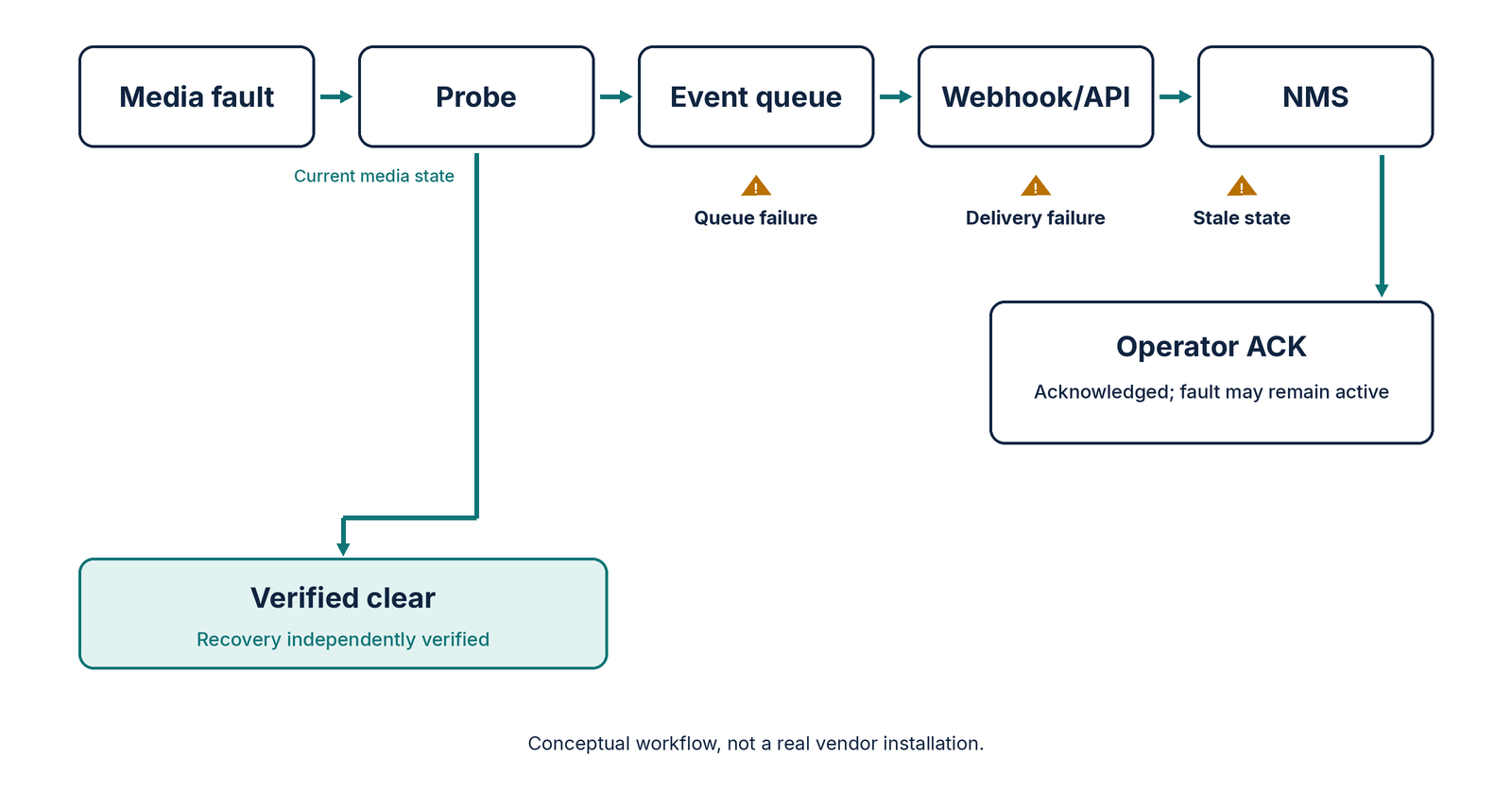

A live encoder can continue sending perfectly decodable frames after its source disappears. Operators need to distinguish missing input, intentional replacement pictures and downstream video failure before triggering failover.
A green transport indicator does not mean the intended program is on air. When a source stops arriving, a live encoder may substitute repeated frames, black video or a standby slate. The stream can remain technically valid while the audience has lost the show.
What the encoder actually does
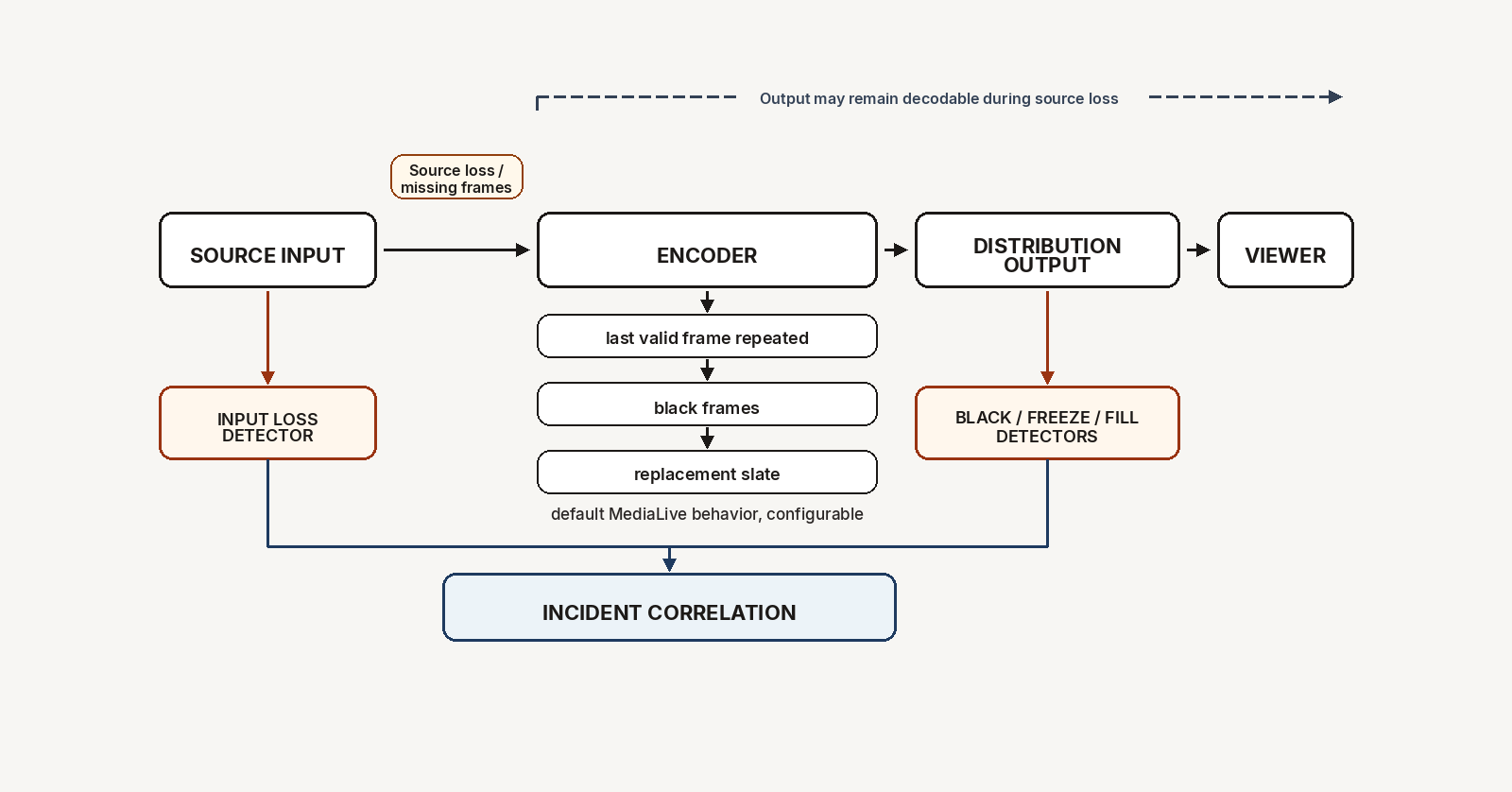
AWS MediaLive's input-loss documentation, reviewed November 8, 2026, provides a concrete example. Its documented default response to lost video input is to encode the last valid frame for 1,000 milliseconds, then black frames for another 1,000 milliseconds, then a black slate indefinitely. These timings and the replacement content can be configured.
That sequence matters for alarm design. A freeze alarm may fire first, followed by a black-picture alarm, while a separate input-loss event describes the initiating failure. Treating all three as unrelated incidents creates noisy tickets and obscures the real problem.
MediaLive also distinguishes input-loss handling from automatic failover. Replacement content begins when expected source frames are missing; failover uses configured conditions and thresholds. AWS's automatic input failover guide documents conditions for input loss, black video and audio silence. Those conditions are not interchangeable.
Why it matters for master control
There are two different questions: is the source delivering valid pictures, and is the outgoing program showing valid pictures? Neither answer can substitute for the other.
An output-only detector may correctly report a frozen frame but cannot establish whether the upstream camera, contribution path, decoder or encoder originated the fault. An input-only alarm can establish a missing source without proving whether the backup actually reached viewers.
AWS's media quality confidence score documentation describes separate quality penalties for black frames, frozen frames, fill-frame insertion and dropped frames in supported output groups. This is a useful taxonomy, not proof that one score alone diagnoses every failure.
Six acceptance tests worth running
1. Remove the source without stopping the encoder. In a controlled test feed, interrupt the incoming media while leaving the output running. Record input-loss time, the first repeated frame, first black frame and slate transition. Confirm which alarms fire and in what order.
2. Feed genuine black video. Keep a valid source and timestamps, but make the picture black. This is not the same as missing packets or missing frames. Verify the system distinguishes intentional or upstream black video from encoder-generated fallback.
3. Freeze the source while transport continues. Send repeated pictures with valid timing. Test a static graphic as a false-positive case and a stuck live camera as a true-positive case. A static scene does not automatically indicate equipment failure.
4. Break only the output path. Keep the encoder input healthy but disrupt a downstream rendition or distribution endpoint. Confirm input monitors remain healthy and that output or player-side checks locate the problem downstream.
5. Trigger backup switching. Verify the configured failover condition, actual switch time and program continuity. Capture both primary and backup pictures. An automatic switch event is not sufficient evidence of clean on-air recovery.
6. Test return to normal. Restore the primary input and confirm whether the system resumes intended content, remains on backup or requires operator action. Ensure duplicate alarms close or correlate rather than continuing as independent incidents.
The MediaLive MQCS metrics reference, reviewed November 8, 2026, separates black-frame, freeze-frame and fill-frame indicators. Its availability depends on supported output configurations, so operators should inventory actual telemetry rather than assume every metric exists on every channel.
What to put in the incident record
For each controlled fault, preserve source ID, active input, transport status, input-loss event time, first affected output frame, fallback behavior, failover decision, actual backup picture and viewer-facing recovery time. Capture time-synchronized clips at both sides of the encoder where practical.
The editorial takeaway is simple: a healthy output transport can carry a failed program. Alarm thresholds should reflect the operational context, and incident correlation should identify the earliest confirmed fault rather than treating every black or frozen frame as a separate root cause.
Image: Original Amira Labs editorial technical diagram, conceptualized from the AWS MediaLive documentation linked above. No third-party imagery used.
Related reading: How to find where a FAST ad break failed, Amira Labs, November 7, 2026, for a different example of isolating faults across a delivery chain.