

Cloud repatriation for media means moving selected workloads or data from public cloud to infrastructure you operate, including a colocation facility. The useful unit of decision is a complete workflow: its media, dependencies, operating costs and recovery path. A cheaper server does not settle that decision.
For a broadcaster, a good candidate might be a predictable overnight processing queue whose source files already live locally. A poor first candidate might be a live distribution chain with worldwide delivery dependencies and no rehearsed fallback. Both can appear on the same cloud invoice.
The practical approach is to compare an optimized cloud option with a fully supported alternative, then move one bounded workflow through explicit acceptance gates. Keep services where they earn their cost.

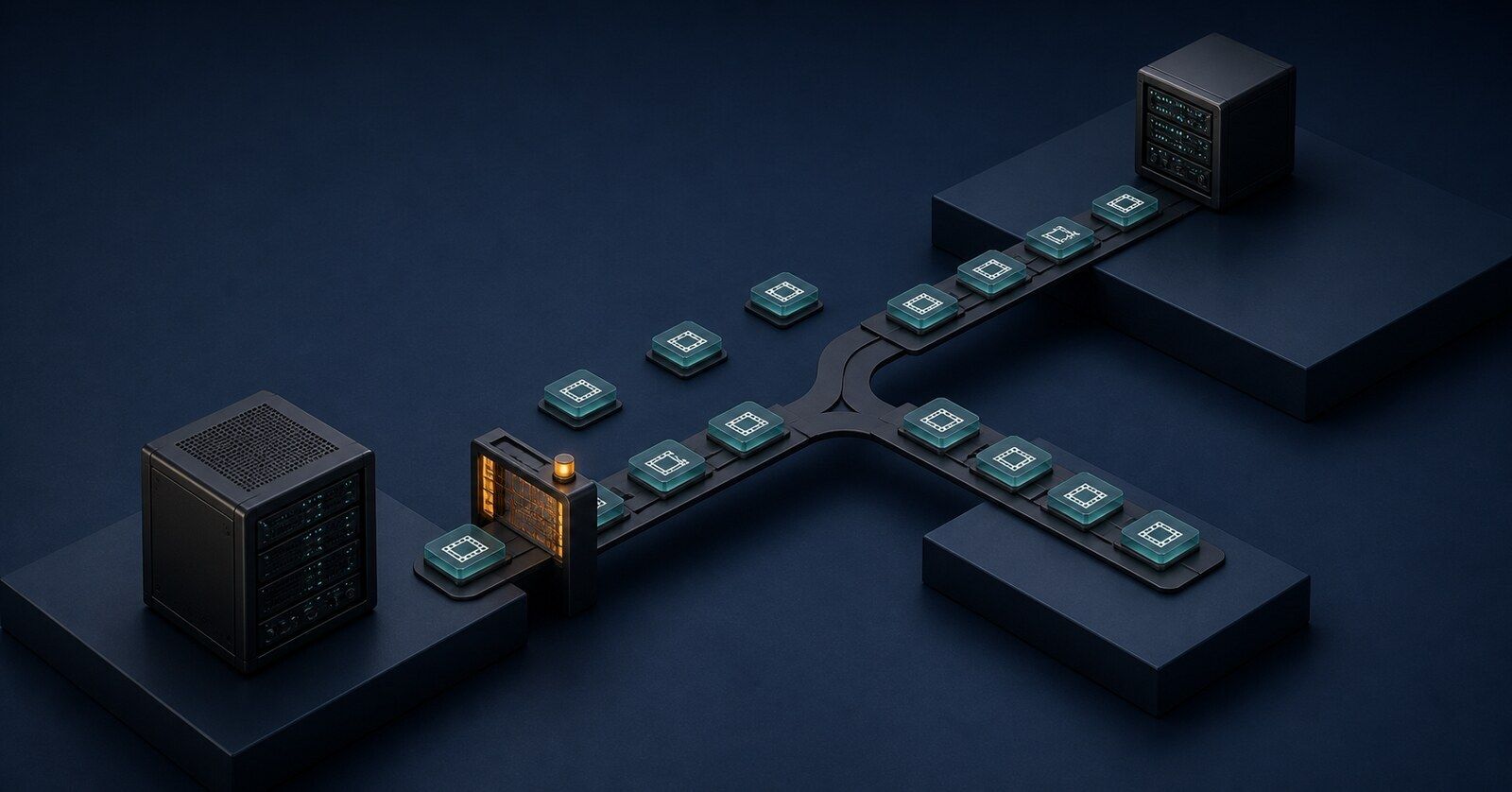
Original AI-generated editorial illustration of selective workload placement; not a product rendering or a real facility.
Which broadcast workloads are good repatriation candidates?
Start with workloads that have sustained demand, accessible source media and a team capable of supporting the replacement. Predictability helps, but it does not cancel network, licensing or resilience requirements.
Use the following as a screening framework, then test it against your own workload records.
Workload | Why evaluate a move? | What could make cloud the better choice? |
|---|---|---|
Recurring transcription, QC or proxy generation on local media | Repeated processing can use shared local capacity without moving every input upstream. | Required software is cloud-only, or local capacity cannot meet deadlines during failures. |
Predictable overnight transcode or archive enrichment | A bounded queue gives you a measurable completion target and a recoverable pilot. | Demand is intermittent, source assets remain remote, or completion requires brief, very large bursts. |
Short-lived event production and surge processing | A stable baseline component might move. | Owning enough capacity for occasional peaks leaves equipment idle between events. |
Global distribution and cloud-adjacent processing | Some origin or preparation work may have a local alternative. | Delivery relationships, regional availability and downstream services make relocation expensive or fragile. |
Deep archive | A mature storage team may have a credible lifecycle-cost alternative. | Infrequent retrieval, geographic protection and limited operational capacity favor retaining the service. |
Archive deserves its own analysis. “Cold” describes an access pattern; it does not establish which location has the lowest cost or adequate recoverability. Separate the preservation copy from the working copy used for editing, search or AI enrichment.
For each candidate, record actual processing demand, peak concurrency, accepted output volume, data movement and operator effort. Include a busy event day and a degraded-capacity scenario. A monthly average can conceal the hour that determines how much equipment you need.
Then draw the dependencies around the workload. If local QC still downloads every master from cloud storage and uploads every result to a cloud-based media asset management system, the compute saving has to pay for that traffic and the new failure points. Our broadcast AI inference placement guide covers that placement decision at the inference-workload level.
How do you build a business case that survives the move?
Compare future costs you can actually avoid with the full incremental cost of operating the replacement. Use the same delivery volume, quality requirements and recovery objectives on both sides.
The wider cost-management discipline is moving toward this view. The FinOps Foundation's 2026 survey covered 1,192 respondents representing more than $83 billion in annual cloud spending. Its technology-scope question includes spending managed today or in the next twelve months; data centers appear at 48%. That is evidence of a broader cost-management remit, not a measure of companies repatriating workloads, and it is not a broadcast survey. State of FinOps 2026.
Build two cases: an optimized cloud deployment and the proposed replacement. Include committed-spend obligations that survive a move, residual storage and networking, software support, facility charges, power, spare capacity and the people needed for out-of-hours incidents. Include disaster recovery and hardware renewal over the evaluation period.
Existing rack space is useful, but establish whether it is genuinely available. Capacity reserved for a second production system is not spare capacity simply because it is idle today. Keep incremental cash cost separate from shared-cost allocations so finance can see both the investment decision and the full service cost.
A payback example, with the assumptions visible
Consider this hypothetical infrastructure project. These are illustrative budget inputs, not supplier quotes, Amira prices or measured customer results:
- One-time equipment, migration and parallel-running expenditure: $300,000.
- Cloud expenditure that would genuinely disappear: $18,000 per month.
- Incremental recurring cost of the replacement: $8,000 per month.
The net monthly saving is $10,000, giving simple cash payback of 30 months. If optimization or surviving commitments reduce avoidable cloud spending to $13,000, the same project saves $5,000 monthly and takes 60 months to pay back.
That calculation excludes financing, tax, growth and time value of money. It is an initial screen, not an investment appraisal. Hardware already included in the upfront cash amount should not also be counted as depreciation in this cash-payback denominator.
What the 37signals example actually establishes
In October 2024, 37signals reported that its cloud bill had fallen from a $3.2 million annual run rate to $1.3 million after moving applications to its own hardware. It credited existing rack and power capacity, and said contract commitments delayed the first clean savings year. Its headline figure exceeding $10 million over five years was projected. This is a historical, self-reported software-company case, not independently audited broadcast evidence. 37signals' account.
The transferable lesson is to examine existing capacity and contract dates. A broadcaster must still prove the economics of its own workload and the staffing required to keep it running.
What does it cost to get the media out?
Price the whole exit: archive restoration, transfer, temporary copies, verification, overlapping operation and service termination. An outbound-transfer waiver covers only part of that work.
The following policy details were checked on August 30, 2026. They are planning cautions, not a determination of eligibility under your agreement.
Provider | What to confirm before committing to the migration |
|---|---|
AWS | Obtain support approval for the exit credit. The network FAQ describes an all-data exit and directs customers leaving an entire single service to support. Its waiver excludes specialized transfer services such as Direct Connect and CloudFront. Confirm eligible traffic, remaining-service requirements and the approved window. AWS FAQ |
Google Cloud | Submit an Exit Notice before eligible migration. The program covers leaving an entire eligible service while allowing other services to remain. Moving only part of a service while continuing to use it is outside this exit program. There are staged migration deadlines, and a Completion Notice triggers termination for the service being left. Google Cloud process |
Microsoft Azure | Give support advance notice and request the invoice credit after completing the exit requirements. The general process provides 60 days and requires cancellation of all associated subscriptions. A specific exception for UK-billed customers transferring from UK datacenters allows 180 days and exits from individual services. Specialized transfer-service charges are excluded. Microsoft's current conditions |
There is a material discrepancy in AWS's public guidance: its FAQ says 60 days, while the September 30, 2025 update to its announcement says 90 days. Get the applicable window and closure requirements confirmed in writing before scheduling an exit. Do not build a production plan around whichever page gives the more convenient deadline. AWS FAQ, updated announcement.
A media library can take substantial time to move even after it is readable. As an arithmetic example, one decimal petabyte contains eight quadrillion bits. At a sustained, measured payload rate of 5 gigabits per second, transferring it takes about 18.5 days of continuous copying. Restore delays, verification, retries and newly arriving media extend the project. A circuit's advertised speed is not a measured payload rate.
AWS documents S3 Glacier Deep Archive Standard restores as typically completing within twelve hours, or nine to twelve through S3 Batch Operations; Bulk restores typically complete within forty-eight hours. These are typical timings, not a broadcaster's guaranteed deadline. AWS storage-class documentation.
S3 also charges separately for archive retrieval and temporary restored storage. Deep Archive has a 180-day minimum storage duration, with remaining-duration charges for early deletion. Those costs do not disappear because outbound transfer receives a credit. S3 pricing.
Schedule the rollback period and required retention before accepting any exit process that requires termination or deletion. A credit is poor compensation for losing the only usable recovery path.
How do you migrate without putting production at risk?
Keep the existing production path authoritative until the replacement passes agreed acceptance tests. Copying the files is an early milestone; operational acceptance comes later.
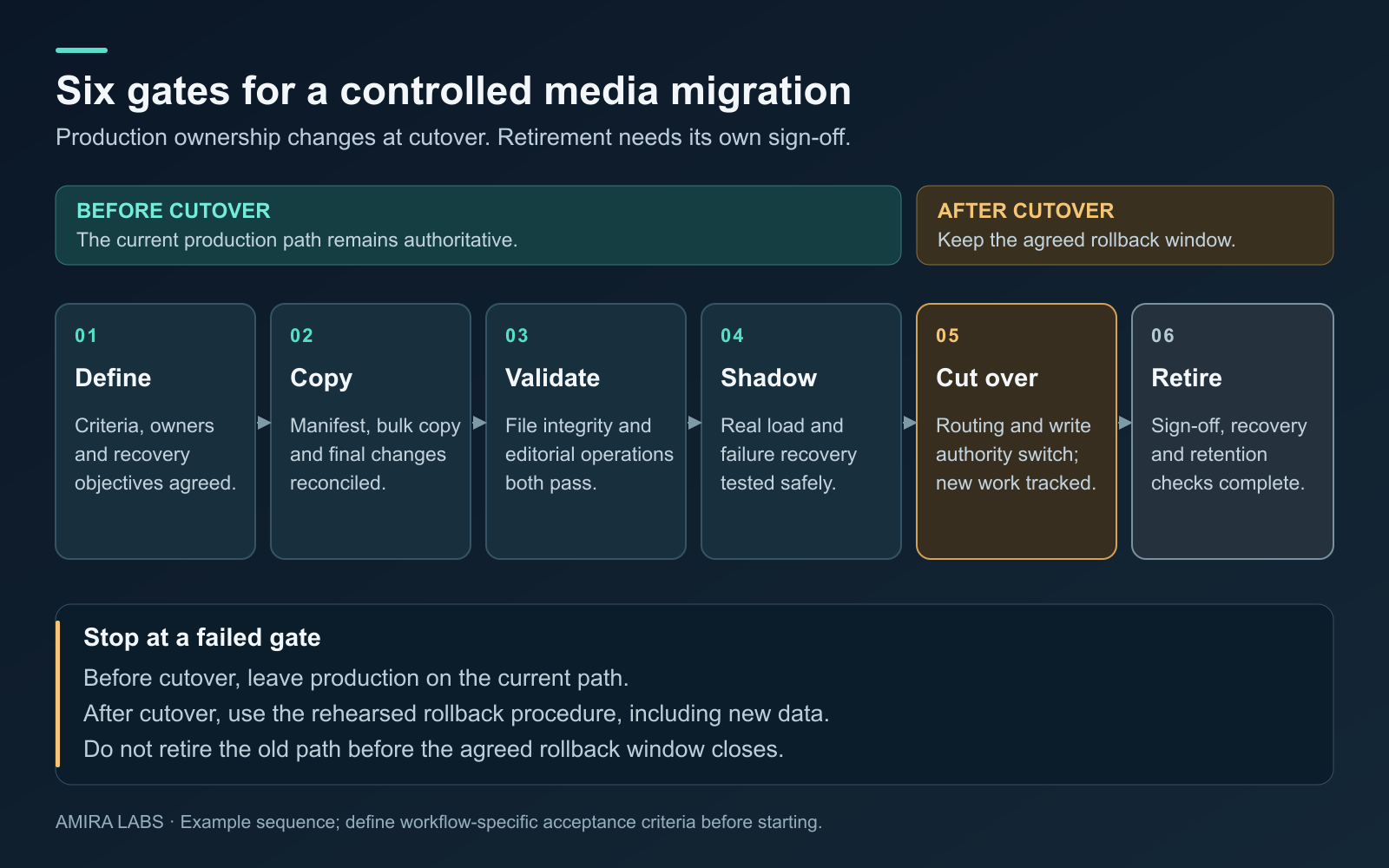
An example acceptance-gate sequence. Gate criteria and the rollback window must be set for the actual workflow before migration starts.
1. Define the acceptance criteria and owners
Choose a bounded workflow that can be repeated without affecting transmission. Name the engineering owner, the operational approver and whoever can stop the cutover. Agree the maximum tolerable interruption and data loss, then translate those into tested recovery procedures.
For example, an archive-enrichment pilot could write candidate metadata to a separate destination while the existing catalog remains authoritative. Moving the only live caption-generation path would require a different risk assessment and fallback design.
Set quality and deadline thresholds before looking at the replacement's results. Include which alarms must reach master control, who handles an overnight failure and which circumstances require rollback.
2. Copy a representative set, then reconcile changes
Start with a manifest of objects and the application records that identify them. Include long-form assets, awkward filenames, different audio layouts and older material, rather than testing only recent clean clips.
After validating the pilot, plan the bulk copy and subsequent change reconciliation. Track new objects, revisions and deletions. Decide which system is allowed to write each record during every stage. Uncontrolled writes to both sides can leave two plausible versions of the same catalog.
Record the final synchronization procedure and any necessary write freeze. A continuously growing ingest queue needs an explicit way to reach a consistent cutover point.
3. Validate media and application behavior separately
Compare compatible checksums using the same algorithm and scope. Do not assume an S3 ETag is a whole-object MD5 checksum: AWS explicitly documents that multipart-upload ETags are not. S3 object-integrity guidance.
A byte-identical file can still be disconnected from its rights record, proxy, caption sidecar or catalog identifier. AWS DataSync's documentation also makes clear that metadata handling depends on the source and destination systems. DataSync metadata behavior.
Test representative editorial and operational actions: find an asset, open its proxy, recover the master, check the audio mapping and timecode, retrieve the correct captions, and deliver a valid output to the next system. Where processing intentionally changes the bytes, validate the resulting media against the agreed specification.
4. Shadow the real workload and rehearse recovery
Run the candidate path alongside production without allowing its outputs to overwrite authoritative results. Compare completion times, failures and operator interventions over a representative schedule, including a busy period.
Remove a component deliberately in the test environment. Rehearse a lost storage path, unavailable worker or failed network link. Confirm that the remaining capacity meets the required service level, or that the documented fallback engages in time.
Test access without the old cloud dependencies you intend to retire. A local system that still relies on the old identity integration, key service or remote catalog may stop when the account closes. The broadcast AI data-sovereignty guide provides a related checklist for tracing external data paths.
5. Cut over with a usable rollback window
Choose a change window appropriate to the service. Reconcile the final changes, switch the agreed routing and watch the acceptance metrics. Preserve the old path for the pre-agreed period, with access and sufficient capacity still available.
Rollback must address data created after cutover. State how those new assets or edits return to the original system; merely switching a network route back may lose accepted work.
6. Retire only after sign-off
Obtain operational acceptance and demonstrate recovery from an independent copy. Confirm retention obligations and the provider's approved exit conditions before removing old data or services.
Then verify that the expected charges actually stop. Record residual costs, support effort and achieved output volume against the original business case. Savings become evidence when they appear in the operating accounts.
When should a media organization keep the workload in cloud?
Keep it there when the service's flexibility, dependencies or operating support are worth more than the credible saving from moving. A repatriation project does not need to end with every workload on premises.
Cloud may remain appropriate for uncertain demand, short-lived events, globally distributed workflows or services your team cannot replace economically. An archive may also remain there if the alternative cannot provide the necessary protection and restore behavior. Conversely, a well-supported local archive deserves evaluation if access patterns and lifecycle costs justify it.
Be cautious about a permanent half-migration. Running compute locally while leaving tightly coupled data and control services remote can add duplicate tooling, support responsibilities and network charges. Hybrid operation needs explicit ownership and a reason for each boundary.
Some projects should wait. If the facility lacks power headroom, the staffing plan assumes unpaid heroics, or the only saving depends on an unapproved credit, the proposal is not ready for a production commitment. Improving the current cloud deployment may be the better near-term action.
What to do this week
Choose one recurring workflow. Collect its invoices and a representative operating trace, including a busy period. Ask finance which spending would disappear after migration and when the commitments expire. Have engineering identify the dependencies that remain.
Write a one-page decision record with the optimized-cloud baseline, replacement cost range, acceptance thresholds, named owners and a reversible pilot. Request written exit-policy confirmation before including a waiver in the approved budget.
The next useful decision is whether that workflow passes the pilot and financial tests. Expand the migration only when the evidence supports it.
Sources
Primary sources checked August 30, 2026. Provider programs can change; confirm current terms for the relevant account, service and jurisdiction.
- FinOps Foundation: State of FinOps 2026. Survey scope and technology categories.
- 37signals: cloud-exit savings account, October 17, 2024. Historical first-party report and projections.
- AWS: global network FAQ. Exit-credit eligibility and exclusions.
- AWS: free outbound transfer announcement, updated September 30, 2025. Conflicting published migration window.
- Google Cloud: free data transfer when exiting. Service-level exit and notice process.
- Microsoft: Azure cancellation and exit-credit conditions. General and UK-specific rules; updated June 7, 2026.
- AWS: S3 Glacier storage classes. Typical restoration timings.
- AWS: S3 pricing. Retrieval, temporary copies and minimum storage duration.
- AWS: checking object integrity. Checksums and multipart ETags.
- AWS: DataSync metadata handling. Source/destination-dependent behavior.